TV Wall for Singapore Businesses: A Practical Planning Guide
Published: October, 2026
By: Smart AV Solutions
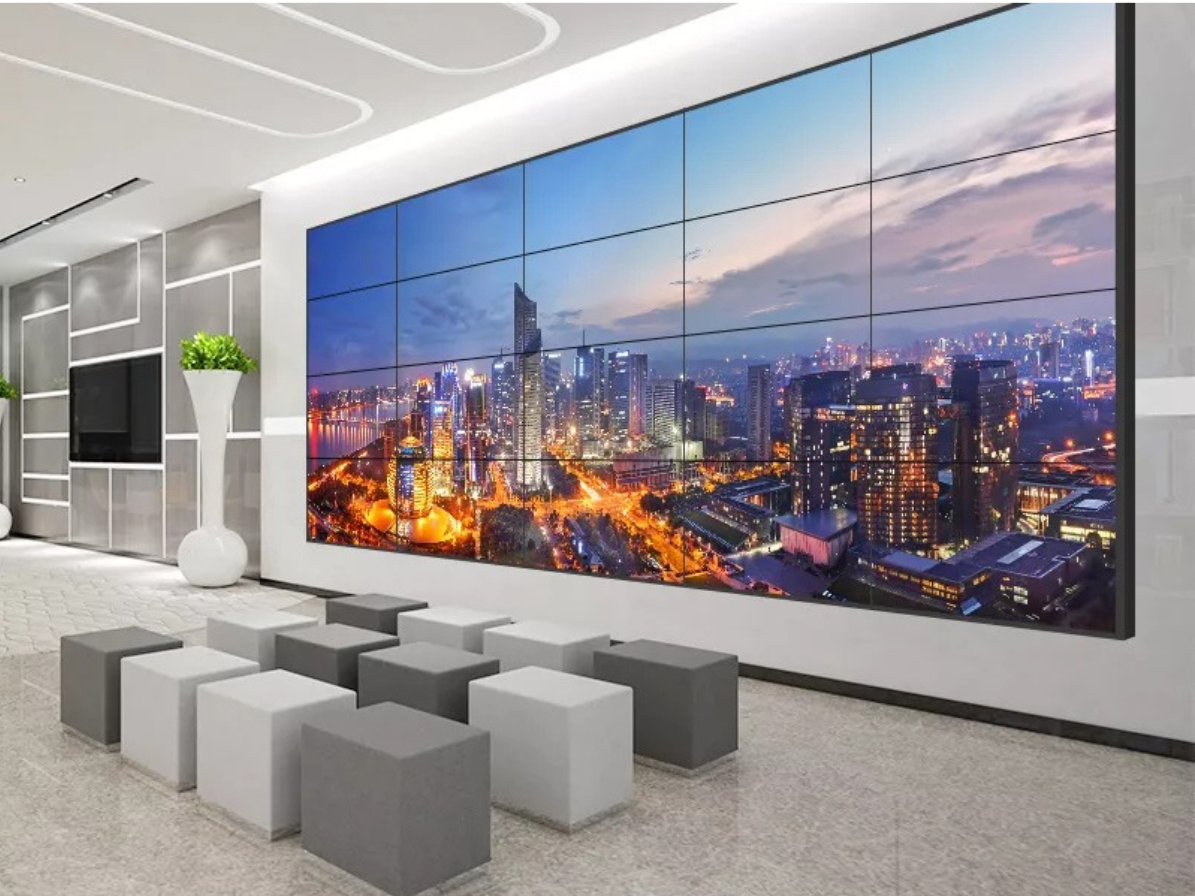
A TV wall puts several screens together to create one larger display area, or several independent ones. Offices, retail stores, showrooms, lobbies and monitoring rooms use them to present information to more people than a single screen can reach.
This guide is for business owners, office and facilities managers, IT managers and project managers in Singapore who are planning or upgrading a commercial display. It explains how a TV wall differs from a professional video wall, where each fits, and what to plan before installation. It also separates what regulations require from what is simply good practice.
Quick answer: a TV wall made of standard televisions can suit a small, simple installation. A commercial LCD video wall or LED display is usually worth considering when the screens run for long hours, must act as one image, or need central control. The right choice depends on your room, content and operating pattern.
What Is a TV Wall?
A TV wall puts several screens together to create one larger display area, or several independent ones. Offices, retail stores, showrooms, lobbies and monitoring rooms use them to present information to more people than a single screen can reach.
This guide is for business owners, office and facilities managers, IT managers and project managers in Singapore who are planning or upgrading a commercial display. It explains how a TV wall differs from a professional video wall, where each fits, and what to plan before installation. It also separates what regulations require from what is simply good practice.
Quick answer: a TV wall made of standard televisions can suit a small, simple installation. A commercial LCD video wall or LED display is usually worth considering when the screens run for long hours, must act as one image, or need central control. The right choice depends on your room, content and operating pattern.
How Content Appears on a TV Wall
There are three common ways to use the screens:
- Independent screens: each display shows its own source, such as a dashboard, a presentation or a camera feed.
- Mirrored content: every screen shows the same image.
- Spanned content: one image is divided across the whole grid.
Spanning requires something to split the image. That may be a video wall controller or processor, or in some commercial displays, a built-in function with daisy-chained inputs. Capabilities vary by model, so confirm the method before buying screens.
Common Layouts
Grids such as 2×2, 3×3 or 4×2 are common. Portrait orientation, mixed screen sizes and irregular arrangements are also used for feature walls.
A wider layout is not automatically better. The grid should match the content’s aspect ratio and the space available.
TV Wall vs Video Wall: Which Do You Need?
The difference is less about screen size and more about how the system is built, how long it runs each day, and how tightly the screens must work together.
A standard-TV wall uses consumer or general-purpose televisions. An LCD video wall uses commercial panels designed for tiling, usually with narrow bezels. A direct-view LED wall uses modular LED cabinets, which greatly reduce the visible gaps between sections, although cabinet seams can still be noticeable up close.
| Consideration | TV wall with standard TVs | LCD video wall | Direct-view LED wall |
|---|---|---|---|
| Visible borders | Usually the most noticeable | Narrow bezels; gaps still visible up close | Much smaller seams between cabinets |
| Operating hours | Check the model’s rated use and warranty terms | Some models are specified for 24/7 operation | Depends on product and supplier specification |
| Content control | Often separate devices or added equipment | Typically paired with a controller or built-in tiling features | Typically driven by a processor or controller |
| Typical fit | Small rooms, simple presentations | Lobbies, control rooms, retail, larger meeting spaces | Large surfaces, wide viewing distances, feature walls |
| Planning focus | Mounting, content source, warranty | Bezel width, controller, panel brightness | Pixel pitch, cabinet structure, viewing distance |
What the Numbers Look Like in Practice
Bezel widths vary by model. One manufacturer’s current video wall range lists bezel-to-bezel widths from 1.74 mm to 3.5 mm. The same pages list several models as supporting 24/7 operation.
These figures are model-specific and should not be treated as an industry standard. Always check the datasheet for the exact panel being proposed.
For standard televisions, there is no universal rule. Check the manufacturer’s stated usage and warranty terms for commercial or long-hour use before assuming a consumer TV will suit your site.
When a Standard TV Wall May Be Enough
Consider a simpler setup when the screens run a limited number of hours, content is basic, and small visible gaps are acceptable. A two- or three-screen meeting-room display is a typical example.
When a Professional Video Wall Is Worth Considering
The case strengthens where gaps would distract from the content. It also strengthens when screens run for most of the day, when one image must span many panels, or when downtime would disrupt operations. Monitoring rooms and customer-facing lobbies often fall into this group.
Where Singapore Businesses Use a TV Wall
Identify the main function before choosing equipment. The same hardware performs very differently in a meeting room and a shopfront.
Corporate Offices and Meeting Rooms
A TV wall in a meeting room helps teams compare documents, review reports and present to groups. In larger rooms, a bigger image helps people seated further back.
The main design questions are seating positions and what will be displayed. Spreadsheets and CAD drawings demand different sizing from slide decks and video.
Retail Stores and Showrooms
Retailers use TV walls for promotions, product video and brand messaging. Ambient light matters most here. A display that looks excellent in a dim demonstration room may look washed out beside a bright shopfront or atrium.
Ask for a brightness figure from the datasheet. Where possible, view a sample in light similar to your site’s.
Lobbies and Reception Areas
In reception areas the TV wall is part of the interior. Consider how it looks when switched off, how cables are concealed, and who will update the content.
Security and Monitoring Rooms
Operators in monitoring rooms watch several sources at once, such as camera feeds, dashboards and alarms. Image consistency, controller capability and reliability matter more than visual impact.
If the wall shows camera footage, the PDPA may apply to the cameras and recordings. See the rules section below.
How to Plan a TV Wall: Eight Factors
1. Purpose and Content
List what the display must show, to whom, and for how many hours a day. Include the smallest text or detail that must remain readable. This single list drives nearly every later decision.
2. Screen Size and Viewing Distance
A practical method is the AVIXA standard Display Image Size for 2D Content in Audiovisual Systems (ANSI/INFOCOMM V202.01:2016, often called DISCAS). It calculates minimum image size relative to viewing locations. It defines two viewing needs: basic decision making and analytical decision making.
In short, a lobby message and a detailed operational dashboard are different tasks and need different sizing. AVIXA provides free online calculators. This is a voluntary industry standard, not a Singapore legal requirement.
3. Resolution and Aspect Ratio
Resolution matters most to viewers close to the screen or reading fine detail. Spanned content also needs a source whose resolution suits the whole grid. Confirm the maximum resolution your controller and sources can deliver.
4. Brightness and Ambient Light
Resolution matters most to viewers close to the screen or reading fine detail. Spanned content also needs a source whose resolution suits the whole grid. Confirm the maximum resolution your controller and sources can deliver.
5. Mounting and Structure
The wall behind the screens must carry the combined weight of displays and mounts. Mounting method, wall construction and service access should be assessed on site. Rear access also affects how easily a single panel can be replaced later.
Structural requirements depend on the building and the wall type. Ask a qualified professional to assess heavier or larger installations, and check the property’s rules (see below).
6. Power, Cabling and Ventilation
Plan power points, signal routes and equipment locations early. The displays and controller have operating-temperature and ventilation requirements in their datasheets, and they should be followed.
New power points or circuits may count as electrical work under Singapore regulations. The rules section explains how.
7. Control, Sources and Audio
Decide how the wall is operated and by whom. Common questions include these:
- How many sources must display at the same time?
- Do layouts need to switch, or content to run on a schedule?
- Does the room need audio, and from where?
- Will the system connect to the corporate network, and what does IT require?
Confirm that the controller, media players and software support all of the above before buying displays.
8. Operating Hours and Lifecycle
Compare rated operating hours, warranty terms, spare-part availability and servicing arrangements. The purchase price is only one part of the cost.
As a Singapore example, an industry publication reported in 2023 that the Suntec Convention Centre LCD video wall, installed in October 2013, was still working after ten years. It consisted of 664 LG 55-inch displays, and the reporter noted visible age on some panels. A later trade report says it was retired after 12 years. Hardware life depends heavily on the product, usage and environment, so treat this as a single illustration and not a benchmark.
TV Wall Rules in Singapore: Mandatory Requirements vs Good Practice
Not everything that affects a TV wall project is a legal requirement. Some items are legal, some depend on your building, and some are simply good practice. The table separates them.
| Topic | What applies | Category | Notes |
|---|---|---|---|
| Electrical work (new wiring, circuits) | The Electricity (Electrical Installations) Regulations require electrical works such as wiring installation to be done by a Licensed Electrical Worker (LEW) | Statutory requirement | Applies to electrical works. Plugging a device into an existing outlet is different from installing new wiring, so confirm the scope with your LEW. |
| Landlord or building approval | Fit-out, mounting and cabling may need approval | Property-specific requirement | Varies by building, lease and management. Check your tenant manual before design is final. |
| Camera feeds shown on the wall | The PDPA may apply to cameras and recordings | Statutory requirement (for personal data) | Concerns the cameras and recordings, not the display itself. See below. |
| Viewing-distance sizing (AVIXA) | A calculation method | Industry practice | Voluntary standard. Not a Singapore legal requirement. |
| Mounting and structure | Depends on wall and building | Recommendation, or property-specific | Seek a qualified professional assessment for heavy or large installations. |
| 24/7 rating, warranty, bezel width | Manufacturer specification | Contractual or product-specific | Check each model’s datasheet and warranty. |
Electrical Work and the EMA
The Energy Market Authority (EMA) regulates electrical installations in Singapore. In a 2022 parliamentary reply, the Ministry of Trade and Industry said the regulations require electrical works such as wiring installation to be undertaken by an LEW. For non-domestic premises, owners or users must also appoint an LEW to take charge of the electrical installation.
EMA says it cannot give site-specific technical advice. Your LEW advises based on the actual site.
In practice, ask your AV provider early whether the project needs new power points or circuits, and who will perform and certify that work.
Camera Feeds and the PDPA
If your monitoring room wall displays CCTV, the PDPA is relevant to the cameras. Government replies state that organisations must notify individuals of the purpose of collection and, where required, obtain consent. They must also make reasonable security arrangements for personal data.
The Personal Data Protection Commission (PDPC) has published advisory guidelines for CCTV deployments. A Ministry of Manpower reply also says organisations should set clear rules on where devices are used and how long recordings are kept.
This article does not give legal advice. Confirm your obligations with the PDPC’s current guidance or a qualified adviser.
A separate 2019 government reply says anyone providing CCTV installation or maintenance as a service must hold a Security Service Provider licence under the Private Security Industry Act. This concerns the camera side, not the display. Confirm that the requirement is still current.
What Was Not Verified
I found no Singapore-wide permit specific to mounting commercial displays indoors. Individual buildings may still impose their own conditions. Fire-safety and structural requirements for particular building types were not researched in depth, so check them with the building management and the relevant authority.
A Typical TV Wall Project Process
| Stage | Action | Dependency | Output |
|---|---|---|---|
| Requirements | Define purpose, content, hours and users | Stakeholder input | Written brief |
| Site assessment | Measure wall, lighting, power and viewing positions | Site access | Site notes and constraints |
| Design | Select displays, layout, controller and sources | Brief and site notes | System design and layout drawings |
| Approvals | Landlord or management consent; electrical works handled by an LEW where applicable | Design finalised | Confirmed approvals |
| Installation | Mount, cable, connect and align | Approvals and materials | Installed system |
| Testing and handover | Test sources, layouts, brightness and controls; train users | Installation complete | Signed-off system and documentation |
Timelines vary with building access, equipment lead times and approval periods. I have not given fixed durations, because none could be verified.
What Affects TV Wall Cost?
No single price applies. Cost depends on several variables:
- Display type (standard TV, LCD video wall panel or LED cabinet) and size
- Number of screens and grid layout
- Controller, media players and software
- Mounting structure and any wall preparation
- Electrical and cabling work
- Content creation and ongoing content management
- Warranty, servicing and support terms
- Building approvals or after-hours work conditions
Ask for a quotation that itemises these. A low display price can hide separate charges for mounts, controllers or electrical work.
Common TV Wall Mistakes
- Buying displays before defining the content and the controller requirements.
- Sizing the wall by what fits the space, not by who must read it, and from where.
- Using screens that are not rated for the hours the business needs.
- Leaving cable routes, ventilation and rear access until after installation.
- Assuming the controller supports the resolution or number of sources required.
- Not checking building rules and electrical scope before design is final.
- Skipping a viewing test under actual lighting.
Working With a TV Wall Provider
Professional installation brings together display selection, mounting, signal and control design, cabling and testing. A capable provider should be able to explain these points:
- How they assessed viewing distance and content needs.
- Which parts of the project need licensed electrical work, and who does it.
- Which controller or processing method they propose and why.
- Warranty terms, including for commercial hours, and how faults are handled.
- What documentation and user training are included at handover.
Smart AV Solutions offers LCD video wall solutions for commercial environments such as corporate spaces, retail and control rooms. For a larger or more specialised project, discuss your requirements with an AV specialist. They can advise whether a TV wall, an LCD video wall or an LED display fits best.
Plan Your Commercial Display With Confidence
A well-planned TV wall starts with understanding your content, your viewers, and your room dynamics rather than just picking a screen. By establishing these fundamentals early, you can accurately compare display types, controllers, and hardware requirements.
If you are mapping out a multi-screen installation in Singapore, you can view the diverse LCD video wall solutions from Smart AV Solutions to see which professional display options align with your space. For a customized assessment or site inspection, feel free to visit our Contact Us page and get in touch with our team.
Frequently Asked Questions
Is a TV wall suitable for a small office?
Yes, where several screens help with presentations or collaboration. Keep the size proportionate to the room and the viewers’ distance.
Can a TV wall show different content on each screen?
Often, yes, depending on the displays, sources and control system. Some setups show separate sources on each screen, while others span one image across the grid.
What is the difference between an LCD video wall and an LED wall?
An LCD video wall tiles flat-panel displays, so narrow bezels remain visible. A direct-view LED wall uses modular cabinets and has much smaller seams. The better choice depends on viewing distance, image needs, the installation and budget.
How do I choose the right size for a TV wall?
Start with the content, the number of viewers and the closest and farthest viewing positions. A calculation method such as AVIXA’s DISCAS can help your provider justify the size.
Does a TV wall need professional installation?
Not always for a simple two-screen setup on a suitable wall. Larger installations involve structural support, cabling, control and sometimes electrical work. Professional installation is worth considering for complex or regularly used commercial systems.
Do I need approval to install a TV wall in a Singapore office?
There may be building-specific requirements, such as landlord consent for mounting or fit-out. If new wiring is involved, electrical works must be done by an LEW. Check your lease and tenant manual.

Welcome to Smart AV Solutions Singapore, your destination for smart home solutions. We help you transform your home into a modern and efficient living space with our state-of-the-art products and services. Discover the full potential of a smart home with us today.
Shop Now
Quick Links
Get In Touch
2 Yishun Industrial Street 1, #04-11 North Point Bizhub, Singapore 768159
- Email: sales@techcom.co
- Phone: +65 6677 0000
- Phone: +65 9277 8888
- Hours: Mon-Fri 9:00AM - 5:00PM