LCD Video Wall Bezel Size: How 0.88mm, 1.7mm and 3.5mm Compare
Published: November, 2026
By: Smart AV Solutions
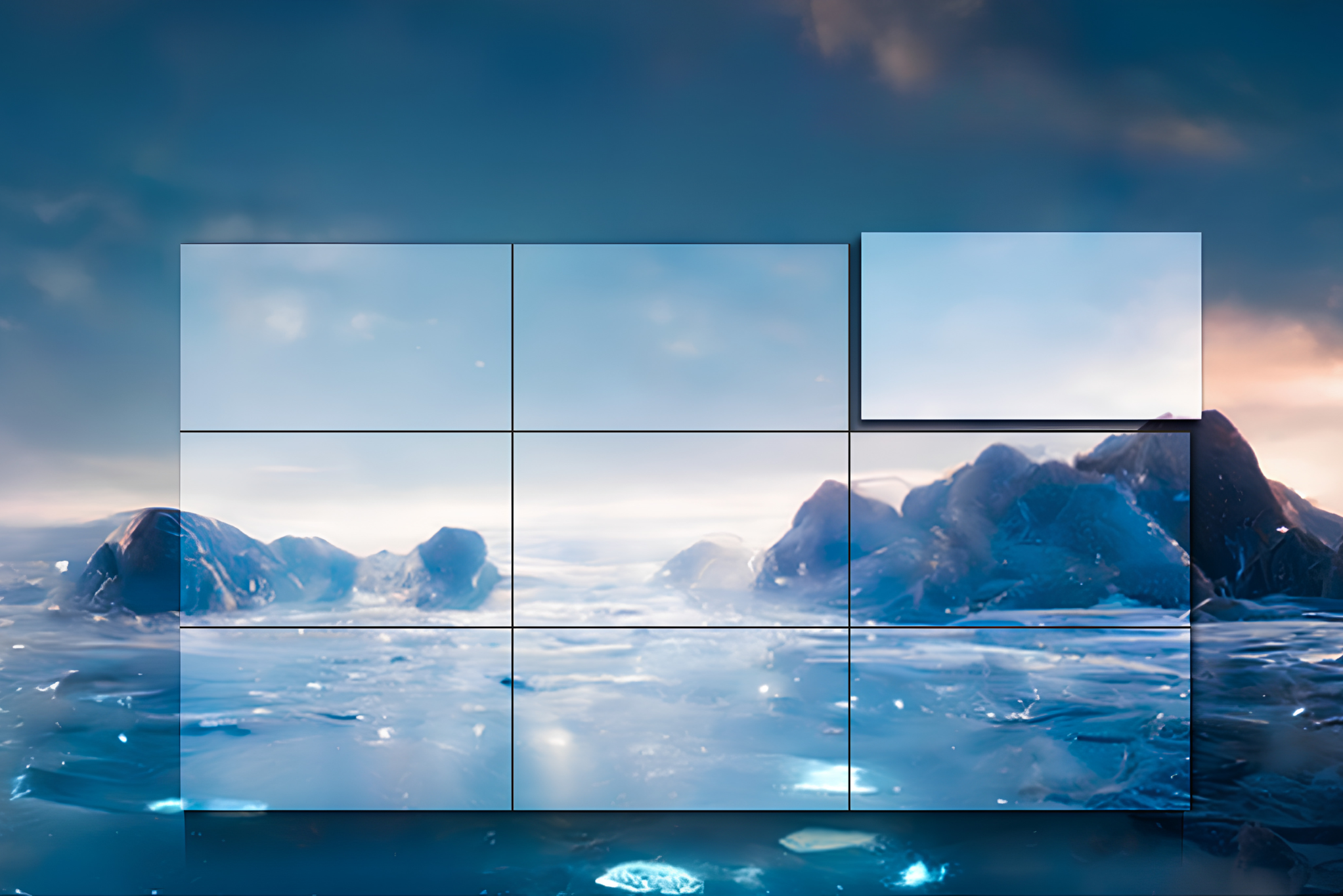
LCD video wall bezel size determines how visible the lines between your screens will be. Resolution and brightness describe each individual panel. Bezel size describes the gaps between panels, and on a 3×3 wall those gaps form a grid across everything you display.
This guide is for Singapore business owners, facilities and IT managers, and project teams comparing video walls for offices, boardrooms, control rooms, retail spaces, malls and campuses. It explains how bezel measurements are defined, how the common 0.88mm, 1.7mm and 3.5mm options differ, and what those numbers do not tell you.
The short answer: narrower bezels suit continuous images viewed up close, such as maps, dashboards and premium lobby content. Wider bezels can work well when each panel shows something different. The right choice also depends on viewing distance, wall size, controller capability and installation quality, not the bezel figure alone.
What Does LCD Video Wall Bezel Size Actually Mean?
A bezel is the frame around the visible image area of an LCD panel. In a video wall, the frames of neighbouring panels sit side by side. The visible seam is therefore the width of two bezels, plus any gap left for mounting.
For that reason, manufacturers usually quote bezel-to-bezel (BtB), the combined width across the seam between two adjacent screens. Samsung’s UH55F-E, for example, was specified at 1.7mm bezel-to-bezel.
Even and uneven bezels
Some panels split the seam equally. LG’s 0.44mm even bezel produces a 0.88mm bezel-to-bezel width, a figure LG says was verified by Nemko.
Others use thicker bezels on two edges. The UH55F-E measures 1.15mm on the top and left and 0.55mm on the bottom and right. LG’s 3.5mm 55VL5F-A uses 2.25mm on the top and left and 1.25mm on the bottom and right.
The seam width is the same either way. Per-edge values still matter, because video wall controllers need accurate figures to align content across the gap.
Bezel-to-bezel is not the same as active-to-active
The headline figure can understate the distance between the actual pixels. Samsung’s datasheet for the UH55F-E lists 1.7mm bezel-to-bezel and 1.96mm active-to-active. Mounting tolerance adds to the seam on top of that. Installers are advised to measure the bezel-to-bezel offset and confirm mounting tolerance, because small discrepancies compound across large arrays.
When you compare quotes, ask which figure each supplier is quoting.

LCD Video Wall Bezel Comparison: 0.88mm vs 1.7mm vs 3.5mm
Bezel tiers are product-line categories set by each manufacturer, not an industry standard. Samsung’s current video wall range uses 0.88mm (razor narrow), 1.8mm (extreme narrow) and 3.5mm (ultra narrow). LG offers 0.44mm, 1.8mm and 3.5mm bezel widths.
The 1.7mm figure appears in Samsung’s earlier UH and UM series, which were specified at 1.7mm bezel-to-bezel. In practice, 1.7mm and 1.8mm sit in the same middle tier. Always confirm the exact figure on the datasheet of the model you are quoted.
| Bezel-to-bezel | Seam visibility | Content it typically suits | Main trade-offs |
|---|---|---|---|
| 0.88mm | Narrowest in current LCD ranges | Continuous images, maps, dashboards, premium lobbies | Typically the premium tier; mounting accuracy matters more |
| 1.7mm (often listed as 1.8mm) | Narrow | Mixed content in meeting rooms, control rooms, campuses | Seams still visible on large single images |
| 3.5mm | More noticeable | Independent content per panel, tiled camera feeds, signage | Breaks up continuous images; most visible up close |
The “typically suits” column reflects common industry practice and is not a technical requirement.
0.88mm bezel video wall
This is the narrowest tier in current LCD ranges. It is aimed at installations where one image spans many screens and the seams would distract. In Samsung’s lineup, the 0.9mm VH55T-E sits above the 1.7mm UH55F-E and UM55H-E models. Within a single manufacturer’s range, narrower-bezel models often sit higher, but price also depends on brightness, panel type and warranty. Compare quotes on equivalent specifications.
A 0.88mm wall still has seams. At this width, small mounting misalignments are proportionally easier to see, so installation quality carries more weight.
1.7mm bezel video wall
This is the narrowest tier in current LCD ranges. It is aimed at installations where one image spans many screens and the seams would distract. In Samsung’s lineup, the 0.9mm VH55T-E sits above the 1.7mm UH55F-E and UM55H-E models. Within a single manufacturer’s range, narrower-bezel models often sit higher, but price also depends on brightness, panel type and warranty. Compare quotes on equivalent specifications.
A 0.88mm wall still has seams. At this width, small mounting misalignments are proportionally easier to see, so installation quality carries more weight.
3.5mm bezel video wall
LG describes its 3.5mm bezel-to-bezel walls as ultra-narrow. The seam is clearly noticeable on a single large image. It matters much less when every panel, or every group of panels, shows separate content.
A published example from Singapore: Uniview describes a 12-panel, 55-inch LCD wall with 3.5mm bezels, driving CCTV camera views through decoders. The case study is manufacturer-reported, so treat it as an illustration of use rather than independent evidence of performance. It shows why a wider bezel can be acceptable for tiled camera views.
Where Smart System’s own range fits
Smart System organises its LCD video walls into three series. The Basic Series has bezels of about 3.5mm, the Essential Series often 1.7 to 1.8mm, and the Ultra Series the slimmest bezels. Specific bezel values vary by model, so confirm the figure for the exact product on its datasheet.
What Is an Ultra-Narrow Bezel Video Wall?
“Ultra-narrow bezel” has no fixed definition. Samsung’s own terminology labels 0.88mm as “razor narrow”, 1.8mm as “extreme narrow” and 3.5mm as “ultra narrow”. LG also applies “ultra-narrow” to its 3.5mm walls. So the same phrase can describe a 3.5mm wall from one brand and something narrower from another.
Treat the marketing label as a prompt to ask for the measured bezel-to-bezel figure.
No LCD video wall is seamless. Every panel has a physical frame, so even the narrowest wall has visible lines on solid colours and continuous graphics. A narrower bezel reduces the interruption. It does not remove it.

Factors That Determine the Right LCD Video Wall Bezel Size
Content type and bezel compensation
Bezel compensation is a controller setting that changes how an image is split across screens. With compensation on, the image is mapped as if it continues behind the bezels, so diagonal lines stay continuous. With it off, every pixel remains visible, but lines no longer join across seams
RGB notes that a security customer may disable compensation so that no pixels are hidden. That gives you a trade-off. Compensation looks better for photos and video but hides a thin strip of the image. No compensation keeps all the data but breaks lines at the seams.
Bezel width controls how large that trade-off is. A narrower bezel hides less content, or breaks fewer lines. For text-heavy dashboards, designers commonly define safe zones so critical information avoids the seams.
Viewing distance
People close to the wall notice seams that disappear from further away. An operator sitting near a control-room wall has different needs from a visitor crossing a large lobby. No single distance rule applies to every wall, panel size and content type. A demonstration or mock-up in your own lighting is the most reliable test.
Wall size and number of seams
The seam count grows with the grid. A 2×2 wall has two internal seam lines. A 3×3 wall has four, and a 4×4 has six. The crossing points, where four corners meet, grow faster still: one on a 2×2, four on a 3×3 and nine on a 4×4.
Scale amplifies the effect. In Singapore, the Suntec Convention Centre wall combined 664 LG 55-inch displays into a three-storey-high, 60-metre-wide installation. At that scale, bezel choice affects the look of the whole entrance. Using fewer, larger panels, where the layout allows, reduces the number of seams.
Installation accuracy and calibration
A narrow bezel cannot compensate for uneven mounting or mismatched panels. Controllers and processors can provide per-panel colour calibration and brightness matching, which reduces how much a seam stands out. Some manufacturers add their own tools. Samsung’s Color Expert Pro Mobile, for instance, supports camera-based white balance adjustment on walls up to 5×5. That is a product-specific feature, not a general capability.
Controller or processor
A video wall processor takes one or more sources and distributes pixels across the array, while a standard matrix switcher only routes signals. If you need one image across the wall, confirm that the controller supports bezel adjustment, ideally with values in millimetres or pixels. Also confirm it handles the source resolutions and number of inputs you plan to use.
Brightness and operating rating
Bezel width is only one part of the specification. In Samsung’s range, the 0.88mm, 1.8mm and one 3.5mm model listed 700 nit brightness, while another 3.5mm series was rated at 500 nit. Compare the full specification, including brightness, panel type, continuous-operation rating and warranty, rather than ranking walls by bezel alone. You can find detailed model comparisons in this online reference guide for Samsung video wall displays.
Choosing LCD Video Wall Bezel Size by Use Case in Singapore
These are practical starting points, not rules. Your room, content and viewing distance can change the answer.
| Setting | What usually matters most | Bezel considerations |
|---|---|---|
| Security and CCTV control rooms | Seeing every pixel, 24/7 operation | 3.5mm can work for tiled feeds. Narrower helps maps and one-image layouts. Decide on bezel compensation first. |
| Command and network operations centres | Dashboards and maps shared across the wall | 1.7mm or narrower reduces interruption; keep critical text away from seams |
| Boardrooms and executive spaces | Appearance, presentations, close viewing | 0.88mm or 1.7mm, depending on how often one image spans the wall |
| Retail and mall displays | Attention, bright content, varied messaging | 1.7mm to 3.5mm, depending on whether one image spans panels |
| Lobbies and reception areas | Visual impact, longer viewing distance | Narrower for brand imagery; wider acceptable for panel-by-panel content |
| Schools and training facilities | Mixed content, budget | Often a mid-tier bezel; confirm sightlines from the back of the room |
Some requirements come from the property rather than the display. Malls, office towers and managed buildings can set rules on mounting, structural loading, access for servicing and works hours. Check these with building management early, before you finalise the wall design.
Does a Smaller Bezel Mean Better Picture Quality?
No. Bezel size affects how continuous a multi-screen image looks. It does not change the resolution, contrast or colour of each panel.
A 0.88mm wall with low brightness in a bright atrium can look worse than a 3.5mm wall with the right brightness and anti-glare treatment. Evaluate bezel width, brightness, resolution, panel type, calibration and controller capability together.
When Direct-View LED Is Worth Comparing
How to Verify Bezel Specifications Before You Buy
Product lines change. Several earlier Samsung video wall models are now listed as discontinued or no longer available. Use this table when reviewing any quotation.
| What to confirm | Why it matters | Who can confirm |
|---|---|---|
| Is the figure bezel-to-bezel or per-edge? | Prevents comparing mismatched numbers | Supplier, datasheet |
| Are bezels even or uneven? | Needed for correct controller settings | Datasheet |
| What is the active-to-active distance? | Shows the true pixel gap | Datasheet, supplier |
| Is the exact model currently available? | Avoids specifying discontinued stock; matters for later panel replacement | Supplier |
| Brightness, operating hours rating, warranty | Affects daily performance and lifespan | Datasheet, supplier |
| Does the controller support bezel compensation? | Determines continuity vs hidden-pixel behaviour | Controller manufacturer |
| Mounting method, tolerance and service access | Affects alignment and future maintenance | Installer, building management |
Choosing the Right LCD Video Wall Bezel Size for Your Space
Frequently Asked Questions
Is a 0.88mm bezel better than a 1.7mm bezel?
It produces a narrower seam. Whether it is better depends on your content, viewing distance and budget. For independent windows or longer viewing distances, the difference may not justify a higher price.
What is the difference between 1.7mm and 3.5mm?
The seam is roughly twice as wide at 3.5mm, so it is more noticeable on single large images. For tiled, panel-by-panel content, the gap is often acceptable.
What is the right LCD video wall bezel size for a control room?
It depends on the sources. Tiled camera feeds can work well with 3.5mm. Continuous maps and dashboards benefit from narrower bezels. Decide how you will handle bezel compensation, because that determines whether seams hide or distort data.
Can an LCD video wall show one continuous image?
Yes, with a suitable controller or processor that divides the source across the panels. The seams remain visible, and compensation affects which pixels are shown.
Are LCD video walls completely seamless?
No. Every panel has a physical frame, so seams remain even at 0.88mm.
Why do some suppliers quote 1.8mm instead of 1.7mm?
Different manufacturers and model generations use different figures for what is effectively the same tier. Confirm the exact measurement on the datasheet for the model you are quoted.

Welcome to Smart AV Solutions Singapore, your destination for smart home solutions. We help you transform your home into a modern and efficient living space with our state-of-the-art products and services. Discover the full potential of a smart home with us today.
Shop Now
Quick Links
Get In Touch
2 Yishun Industrial Street 1, #04-11 North Point Bizhub, Singapore 768159
- Email: sales@techcom.co
- Phone: +65 6677 0000
- Phone: +65 9277 8888
- Hours: Mon-Fri 9:00AM - 5:00PM