The Ultimate Office Room Guide: Choosing the Right Interactive Display
By: Smart AV Solutions
Published: June 9, 2026
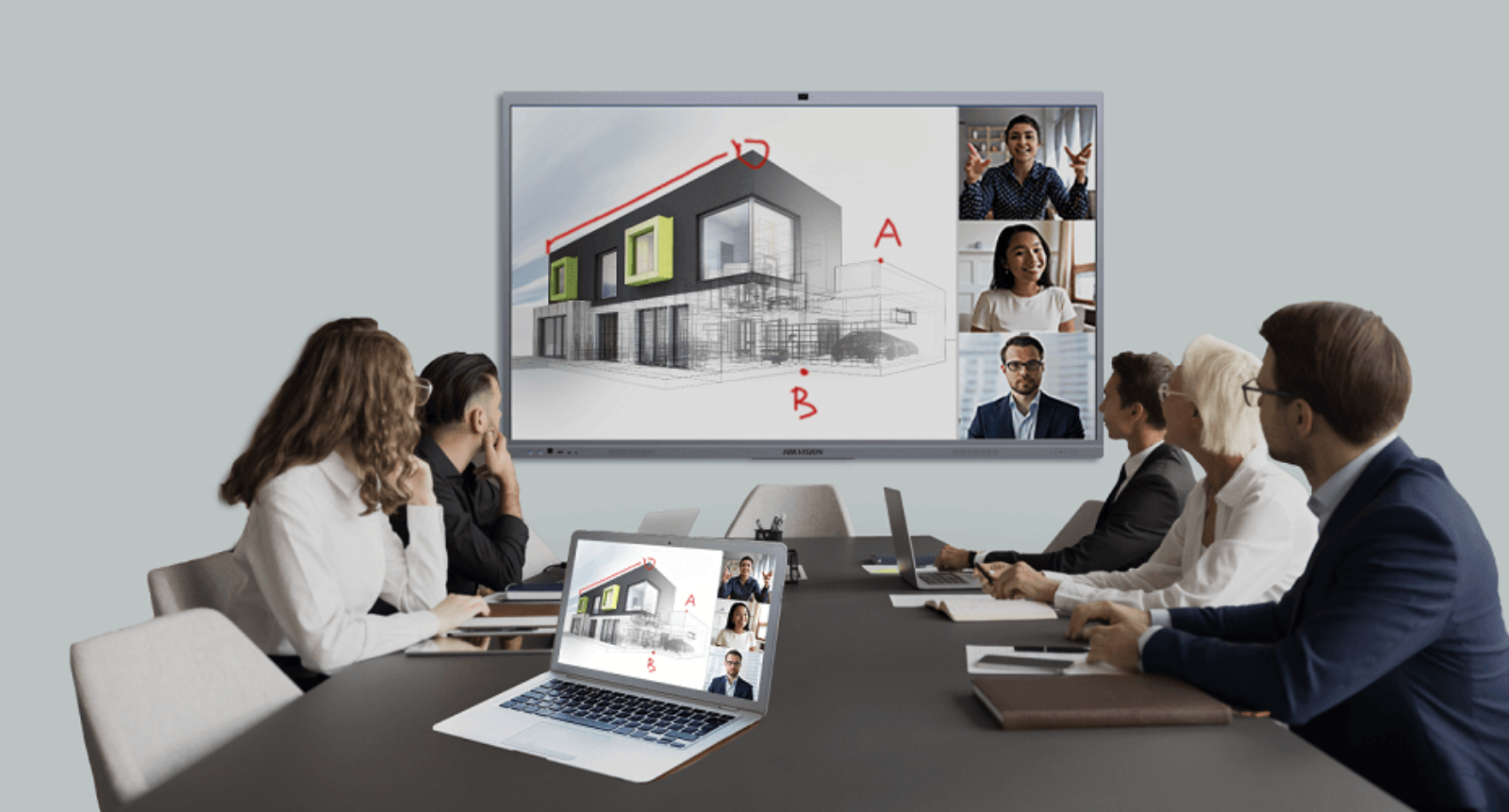
Hybrid work has permanently transformed Singapore’s offices, but it has also introduced a daily corporate frustration: keeping teams collaborating seamlessly when half the workforce is dialing in from home. Ineffective virtual meetings slow down critical project timelines and detach employees. The ultimate solution is integrating a modern interactive smart whiteboard engineered for your Singapore office space.
At Smart AV Solutions, we specialize in end-to-end commercial audiovisual engineering. We have seen firsthand that a properly sized interactive display acts as the primary hub for team productivity. This practical operational guide is designed to help facilities managers, IT administrators, and corporate buyers choose the perfect screen dimensions for their business layouts.
Key Takeaways about choosing Interactive Display:
- Prioritize Distance First: Room depth and maximum viewing distance are the absolute baseline metrics for screen size visibility.
- Match Hardware to Use Case: Align specialized interactive features (like AI auto-tracking cameras or Windows OPS modules) with daily workplace workflows.
- Select Brand Ecosystems Strategically: Balance deployment costs across corporate spaces using premier brands like Maxhub, Hikvision, and Dahua.
- Demand End-to-End Integration: Choose an installation partner with local bizSAFE compliance to handle structural mounting and network configuration securely.
Start with Your "Why" – Assessing Corporate Needs
Before reviewing spec sheets or hardware dimensions, you must define the concrete operational purpose of the interactive panel within your organization.
Ask your internal teams these three foundational questions:
- What are your primary presentation workflows? Are you primarily executing cross-border video calls with remote offices? Do your teams require an infinite digital canvas for intensive software engineering brainstorming? Or is the screen intended to showcase slick PowerPoint decks to visiting VIP clients?
- Who will use the system daily? A high-performance display for tech teams annotating complex engineering schematics requires ultra-low touch latency. Meanwhile, an executive boardroom display requires an incredibly intuitive, plug-and-play user interface.
- What enterprise software ecosystems do you use? Your office likely relies on Microsoft 365 or Google Workspace. Your display must offer seamless compatibility with vital apps like Microsoft Teams and Zoom to prevent annoying system friction during calls.

The Golden Rule of Sizing – Matching the Display to Your Room
The most common mistake Singapore businesses make is guessing their screen size requirements. Selecting an undersized interactive display forces employees at the back of the room to strain their eyes to read text, leading to total disengagement. Conversely, an oversized interactive display panel overwhelms a tight huddle room and wastes corporate budget.
To systematically match interactive display screen sizes to physical space layouts, professional AV engineers rely on the 4/6/8 Rule for visual legibility:
- The 4x Rule: For intricate data presentation on an interactive display (such as financial spreadsheets or technical CAD drawings), the furthest participant should sit no more than four times the screen’s vertical height away.
- The 6x Rule: For standard office presentations (like PowerPoint slides and web browsers), the furthest seat should be within six times the interactive display height. This is the baseline standard for commercial boardrooms.
- The 8x Rule: For passive video viewing where text reading on the interactive display is minimal, the furthest viewing angle can extend up to eight times the screen’s height.
Singapore Office Capacity & Screen Sizing Matrix

Decoding the Technology – Key Features That Matter
The most common mistake Singapore businesses make is guessing their screen size requirements. Selecting an undersized panel forces employees at the back of the room to strain their eyes to read text, leading to total disengagement. Conversely, an oversized panel overwhelms a tight huddle room and wastes corporate budget.
To systematically match screen sizes to physical space layouts, professional AV engineers rely on the 4/6/8 Rule for visual legibility:
- The 4x Rule: For intricate data presentation (such as financial spreadsheets or technical CAD drawings), the furthest participant should sit no more than four times the screen’s vertical height away.
- The 6x Rule: For standard office presentations (like PowerPoint slides and web browsers), the furthest seat should be within six times the screen’s height. This is the baseline standard for commercial boardrooms.
- The 8x Rule: For passive video viewing where text reading is minimal, the furthest viewing angle can extend up to eight times the screen’s height.
1. High Resolution and Anti-Glare Panel Treatments
A native 4K Ultra HD (3840 x 2160) resolution is now the strict commercial standard for corporate displays. High pixel density ensures fine-print text on spreadsheets stays razor-sharp from the back of the room.
Furthermore, bright overhead LED office lighting and exterior windows often cause severe glass reflections. Ensure your chosen display features an anti-glare or anti-reflective matte coating to diffuse ambient light, maintaining crisp visual contrast from every angle in the room.
2. Advanced Touch Technology & Interactivity
The collaboration value of a smart display depends on touch responsiveness. Modern high-end panels leverage advanced Infrared (IR) Touch Technology providing:
- 20+ Simultaneous Touch Points: Allowing multiple team members to edit, brainstorm, and draw on the digital canvas at the same time.
- Intelligent Object Recognition: The display dynamically distinguishes between a fine-tip stylus for annotations, a finger for moving digital windows, and a flat palm to erase ink instantly.
3. Built-in Operating Systems: Android vs. Windows OPS Modules
Most corporate displays feature a built-in Android operating system that supports native digital whiteboarding apps, web browsing, and instant file viewing right out of the box.
However, for enterprise environments demanding maximum computing power and strict network compliance, look for models featuring an Open Pluggable Specification (OPS) slot. This allows a compact Windows PC module to slide directly into the side of the display, turning it into a giant touchscreen Windows computer capable of running legacy enterprise security software natively.
4. All-in-One Video Conferencing Integration
- 4K Smart AI Cameras: Automatically framing and tracking active speakers across the boardroom so remote users retain a natural view of the interactive display presentation.
- Beamforming Microphone Arrays: Utilizing noise-cancellation algorithms to isolate voices near the interactive display while eliminating distracting typing or paper-shuffling audio.
- Front-Facing Soundbars: Projecting crisp audio directly across the room from the interactive display chassis to eliminate muffled conversation.

Beyond the Screen: Choosing Your Brand Ecosystem
Sizing your screen correctly is critical, but selecting the right brand ecosystem ensures your system integrates perfectly with your wider office technology infrastructure:
- Maxhub: The premier interactive display choice for executive corporate boardrooms. Renowned for ultra-premium aesthetic designs, exceptionally low writing latency, and highly advanced, AI-driven camera systems optimized for hybrid corporate presentations.
- Hikvision: Exceptionally reliable, durable hardware built for high-performance multi-room rollouts. This interactive display lineup is ideal for businesses looking to standardize displays across multiple corporate branches or training facilities without bloating capital expenditures.
- Dahua: A robust, high-value interactive display featuring secure software integration, excellent brightness levels, and highly flexible wireless casting capabilities across mixed-device (Windows, Android, iOS) user bases.
Seamless Integration – Connectivity and Compatibility
An interactive display is only useful if employees can connect their hardware effortlessly:
- Wired Future-Proofing: Displays must offer accessible physical connections, including HDMI 2.0 and USB-C. A single USB-C cable handles 4K video transmission, audio, touch data return, and laptop charging simultaneously, eliminating messy cable runs.
- Zero-Dongle Wireless Casting: Support for native casting protocols like AirPlay, Miracast, and Chromecast is a necessity, allowing employees to mirror laptops or smartphones instantly without passing physical hardware tokens around the table.
- Cloud Security Protocols: Enterprise IT teams must prioritize panels that clear temporary file caches with a single tap after meetings conclude, protecting sensitive company data from unauthorized internal access.
The Practicalities – Structural Installation and Safety Compliance
Mounting a massive 75-inch to 98-inch commercial glass display panel introduces critical workspace safety considerations. Companies have two main hardware installation paths:
- Structural Wall Mounts: Providing a completely flush, premium architectural look for dedicated boardrooms.
- Heavy-Duty Mobile Trolleys: Granting agile flexibility to share a single premium interactive asset across multiple project rooms or huddle zones.
Because these commercial displays carry significant weight, enterprise buyers should never risk working with unauthorized contractors. Ensure your technology vendor possesses comprehensive local certifications—including BCA construction registry alignment and bizSAFE safety management protocols—to guarantee structural integrity during installation and protect your workplace environment.
Ready to Optimize Your Singapore Meeting Room Layout?
Choosing the perfect interactive flat panel requires balancing physical room dimensions, seating chDarts, and software ecosystems. You do not have to map this technical architecture out alone.
At Smart AV Solutions, we guide businesses through a meticulous deployment process. Our engineers handle everything from initial on-site spatial planning to final enterprise network integration.
Visit our main Interactive Smart White board Page to explore our comprehensive hardware lineup, or Contact Us Today to schedule our Singapore team for a Professional On-Site Consultation.

Welcome to Smart AV Solutions Singapore, your destination for smart home solutions. We help you transform your home into a modern and efficient living space with our state-of-the-art products and services. Discover the full potential of a smart home with us today.
Shop Now
Quick Links
Get In Touch
2 Yishun Industrial Street 1, #04-11 North Point Bizhub, Singapore 768159
- Email: sales@techcom.co
- Phone: +65 6677 0000
- Phone: +65 9277 8888
- Hours: Mon-Fri 9:00AM - 5:00PM