Building a 3D Holographic Video Wall Matrix: The Retailer's Guide to Synchronization
Published: July 17, 2026
By: Smart AV Solutions
Strategic Advantages of a Matrix Display
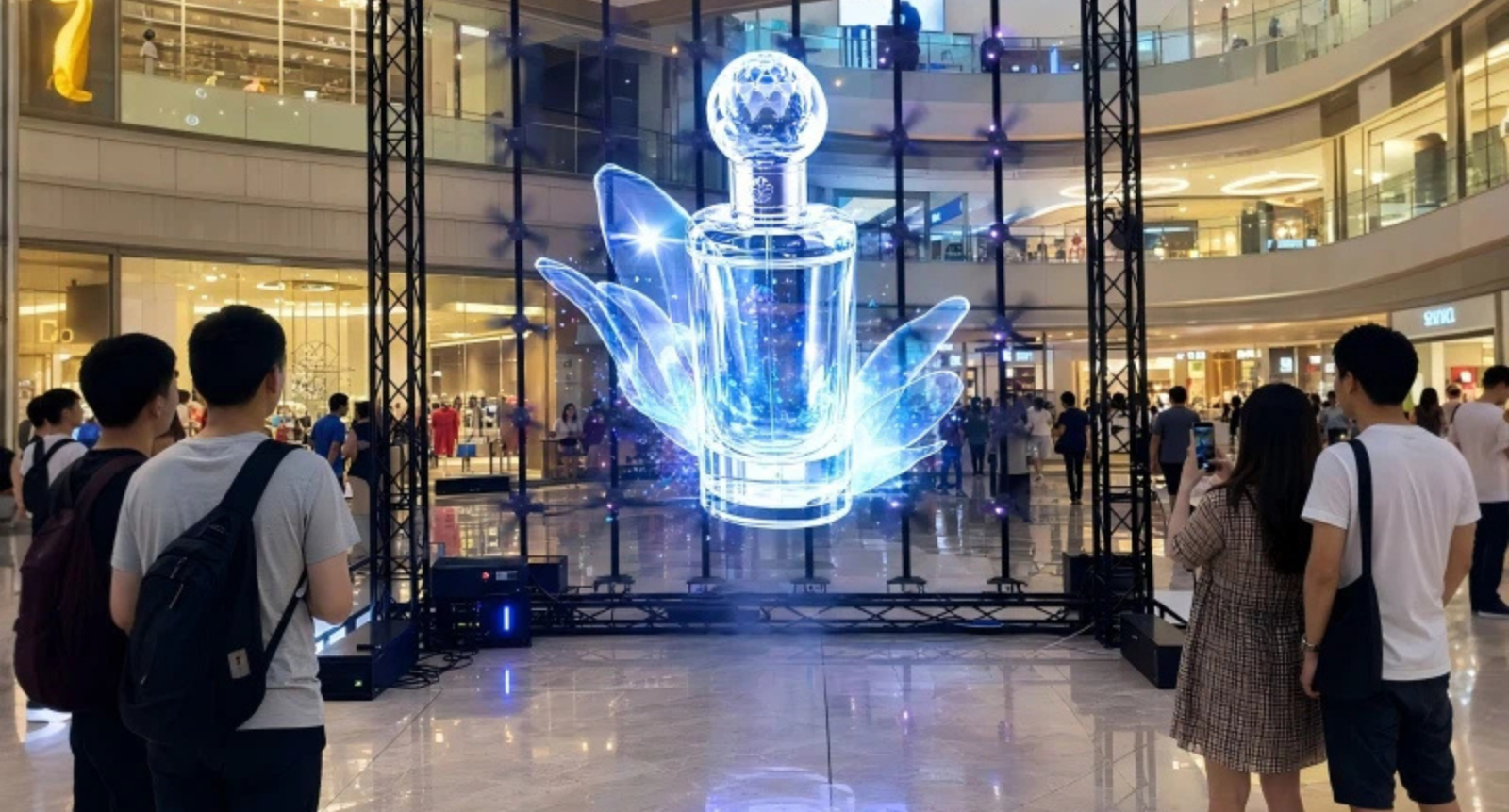
Investing in a synchronized holographic array offers distinct commercial advantages over standard digital signage. When engineering a multi fan 3D hologram wall setup, retail brands gain structural presence, long-term scalability, and a major competitive edge in Singapore’s crowded commercial spaces:
- Architectural Impact vs. Novelty Display: A standalone single fan often reads as a mere gadget on a shelf, easily lost in a busy environment. Conversely, a coordinated 2×2 or 3×3 matrix integrates seamlessly as an intentional architectural feature built directly into the store’s structural layout. This large-scale spatial presence elevates brand perception from a simple product gimmick to a high-end, premium interior fixture.
- Modular Infrastructure and Scalability: Utilizing standardized, compact hardware units—such as commercial-grade 65 cm fans—allows retail managers to scale their visual footprint incrementally. You can launch a compact 1×2 vertical strip layout initially, then scale outward to a full-scale matrix later. This expansion requires no costly structural overhauls or redesigns of the primary heavy-duty mounting framework.
- Dynamic Programming and Scheduling Flexibility: Unlike traditional static structural installations, a synchronized holographic wall adapts dynamically to daily store traffic patterns. Through unified software scheduling, the same matrix can display a minimalist, low-luminance static brand logo during quiet morning hours, then seamlessly transition to a vibrant, high-framerate product animation during peak weekend shopping rushes—all without manual hardware changes.
- Market Differentiation in High-Traffic Hubs: Despite rapid digital transformation, the vast majority of competitors in premium Singapore malls still rely on standard flat, single-panel LCD screens. A large-format, perfectly synchronized holographic wall breaks through the visual noise of traditional video walls. It delivers a striking point of difference that stops foot traffic and increases customer dwell time in competitive retail corridors.
Synchronization Basics
- Master/Slave System Architecture: Establish a clear hardware hierarchy by designating one primary master unit. Position this master fan closest to your central control point or media player. It acts as the primary hub for diagnostics, remote troubleshooting, and signal distribution. Keeping the master unit near the source ensures shorter primary cable runs, which drastically minimizes the risk of signal attenuation and clock drift.
- Calculated Cable Configurations: Connect your secondary slave units using high-shielded, low-latency data cables. A common pitfall in larger arrays is overloading a single data stream; daisy-chaining more fans per cable run than the manufacturer’s rated limit will cause severe data lag and synchronization drift across the wall. To prevent this, divide large matrices into separate, balanced data zones powered by dedicated signal splitters.
- Microsecond Frame Synchronization: To form a cohesive image, every fan must rotate and refresh in perfect phase alignment. Even a tiny 5-millisecond misalignment between units causes a glaring visual stutter or “tearing” effect right at the physical seam between the panels. Eliminating this seam artifact requires calibrating the internal frame-sync delay settings in the hardware firmware during the initial commissioning phase.
- Unified Software and Cloud Control: Avoid the operational nightmare of updating each unit’s local SD card or internal storage manually. Implementing a centralized cloud-based Content Management System (CMS) allows a single playlist update to propagate across the entire multi fan 3D hologram wall setup simultaneously. This ensures that scheduled global content transitions occur instantly and uniformly without manual intervention.
Case Example: Vivo City Retailer
A tech brand installed a 1×3 hologram fan matrix at VivoCity. The visuals initially looked misaligned because of poor cable routing. Once the team corrected the master/slave configuration and adjusted frame sync, the wall delivered smooth, immersive visuals that noticeably boosted dwell time.
Step-by-Step Deployment Checklist for Retail Managers
Executing a successful multi fan 3D hologram wall setup requires balancing creative design with strict hardware calibration. Use this step-by-step checklist to guide your internal operations team or external AV integrator from the initial design phase through to final commercial launch:
- Calculate the Matrix Layout and Spatial Requirements: Design the physical layout of your display wall—such as a 1×3 vertical pillar, a 2×2 grid, or custom asymmetrical matrices—based on available storefront space, wall structural integrity, and pedestrian viewing angles.
- Establish the Hardware Control Hierarchy: Designate a single, easily accessible fan as the primary master unit. This unit will receive the master clock signal and feed video synchronization data down to all subsequent secondary units.
- Execute Targeted Low-Latency Cabling: Connect the remaining slave units using manufacturer-specified, high-shielded data cables. Ensure all cable lengths are minimized and routed well away from high-voltage AC lines to prevent signal interference.
- Calibrate Hardware Frame-Sync Firmware: Access the internal system settings to configure exact frame synchronization delays. This ensures the spinning LED blades lock their rotation cycles together before you push any live marketing content.
- Perform Quality Assurance and Alignment Drifts: Run high-contrast test patterns and geometric grid videos across the display. Inspect the physical panel seams closely from multiple angles to identify and correct visual stutter, frame lagging, or pixel misalignment.
- Onboard Unified Cloud Content Management: Link the entire multi fan 3D hologram wall setup to a central, cloud-based playlist software. Test remote scheduling functions to confirm that real-time asset updates deploy instantly across all screens without needing manual SD card swaps.
Critical Deployment Mistakes to Avoid
Even premium hardware will underperform if it is poorly configured. When managing a multi fan 3D hologram wall setup, avoiding these four common engineering oversights will save your team dozens of hours in post-installation troubleshooting:
- Operating Unsynchronized Fan Arrays: Running unlinked fans creates a harsh, disruptive visual stutter right where two adjacent panel seams meet. This structural line break shatters the 3D optical illusion instantly, calling attention to the hardware flaws rather than your branded video content.
- Improper Data Cable Routing: Bundling low-voltage data transmission cables parallel to high-voltage main AC power lines introduces electromagnetic interference (EMI). This oversight causes intermittent data packet loss, leading to random screen dropping and unexpected playback lag that is incredibly difficult to diagnose later.
- Omitting the Master Unit Assignment: Failing to explicitly program a single hardware unit as the primary controller leaves every fan running on its own internal clock. Without a shared master clock signal to anchor the system, the display matrix dissolves into a chaotic, flickering mess instead of a clean, synchronized rotation.
- Neglecting Matrix Brightness Calibration: Skipping uniform luminance matching is a major aesthetic mistake. Even a minor 10% mismatch in light output or color temperature between adjacent panels exposes a stark, unnatural border right through the center of your holographic imagery.
The Takeaway
Building a highly synchronized holographic display matrix undoubtedly demands more rigorous foresight, planning, and technical engineering than setting up an isolated standalone fan. However, the commercial payoff for your storefront design easily justifies the initial investment. By taking the time to perfectly configure your low-latency cabling, locking in a robust master/slave hardware hierarchy, and managing your content through a unified cloud network, your brand can bypass common installation traps. When executed correctly, a professional multi fan 3D hologram wall setup allows Singapore retailers to break through standard marketing noise and build genuinely immersive, unforgettable branding experiences that easily outperform any traditional LCD video wall on the market today.

Welcome to Smart AV Solutions Singapore, your destination for smart home solutions. We help you transform your home into a modern and efficient living space with our state-of-the-art products and services. Discover the full potential of a smart home with us today.
Shop Now
Quick Links
Get In Touch
2 Yishun Industrial Street 1, #04-11 North Point Bizhub, Singapore 768159
- Email: sales@techcom.co
- Phone: +65 6677 0000
- Phone: +65 9277 8888
- Hours: Mon-Fri 9:00AM - 5:00PM